PRODUCT TOUR
From a project to technical proof.
CoreAnalyzer reads the available project evidence, then turns it into a report your team can review, prioritize and reuse.
A CLEAR PATH
One project. One structured report. Four clear moments.
The product flow stays simple: bring a project in, let CoreAnalyzer read it, inspect the report, then keep using that technical context.
- 01ImportSelect a project or open an existing report.
- 02AnalyzeCoreAnalyzer structures the available evidence.
- 03ReviewRead findings, files, routes and project structure.
- 04ReuseReopen, compare or export the report when needed.
01 / IMPORT
Import your project, simply.
Select a local project or a GitHub source when it is available in your offer, check the visible options, then start the analysis.
Open CoreAnalyzer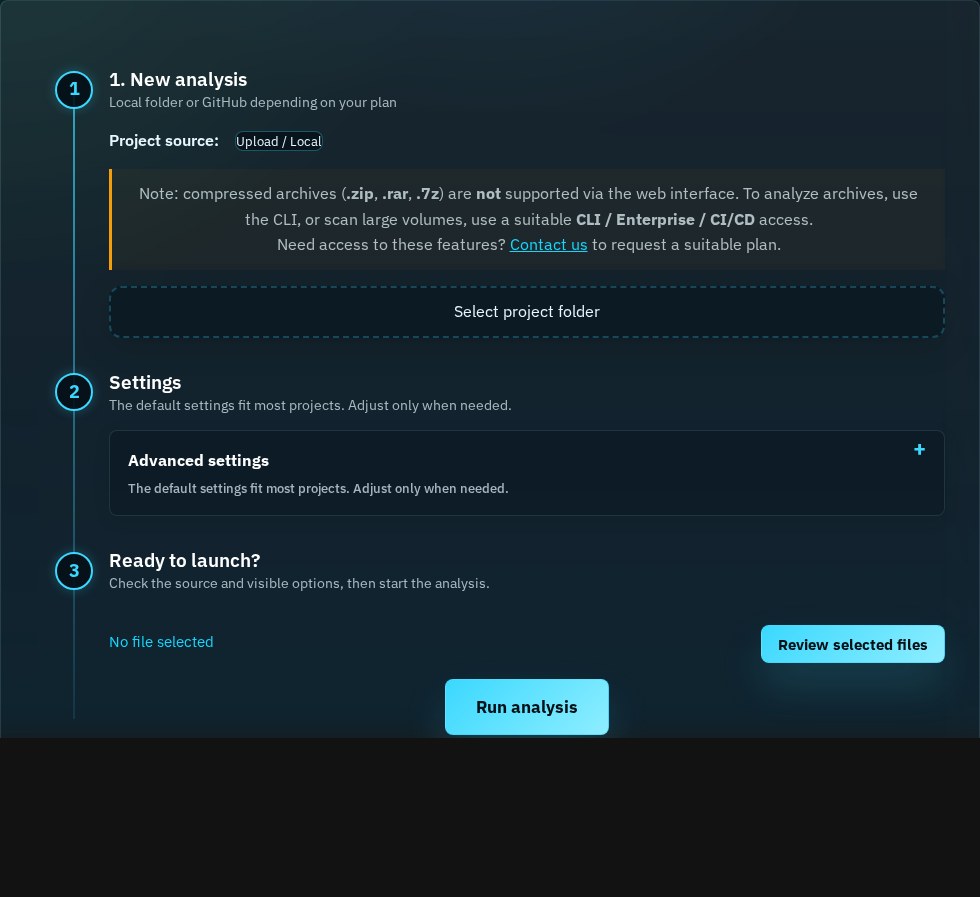
02 / CLASSIC VIEW
Read the report from category to evidence.
The Classic view gives a direct route from the project overview to the available categories, volumes and technical evidence.
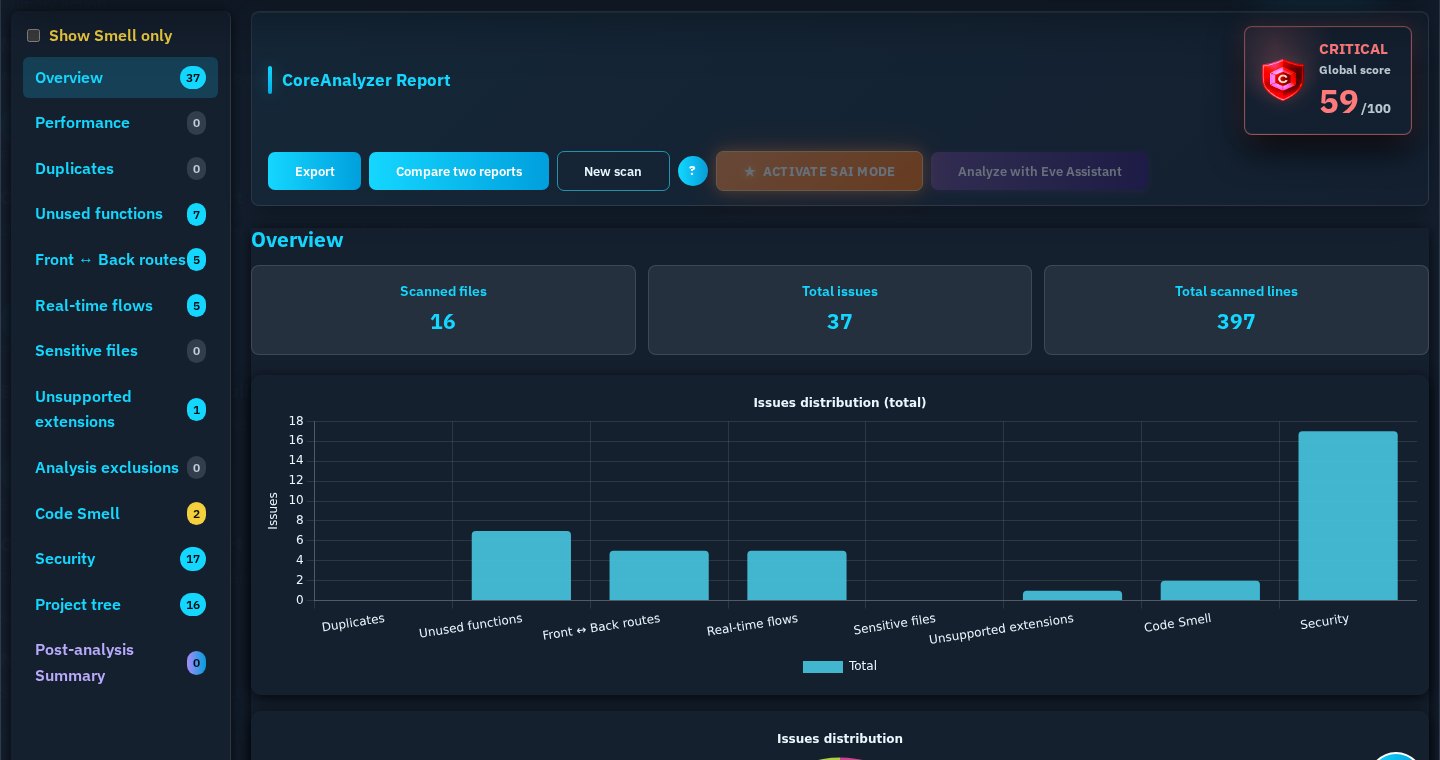
01OverviewHealth, scanned volume and available categories.
02NavigationMove from a category to the related elements.
03EvidenceKeep a readable technical basis for review.
03 / PROJECT STRUCTURE
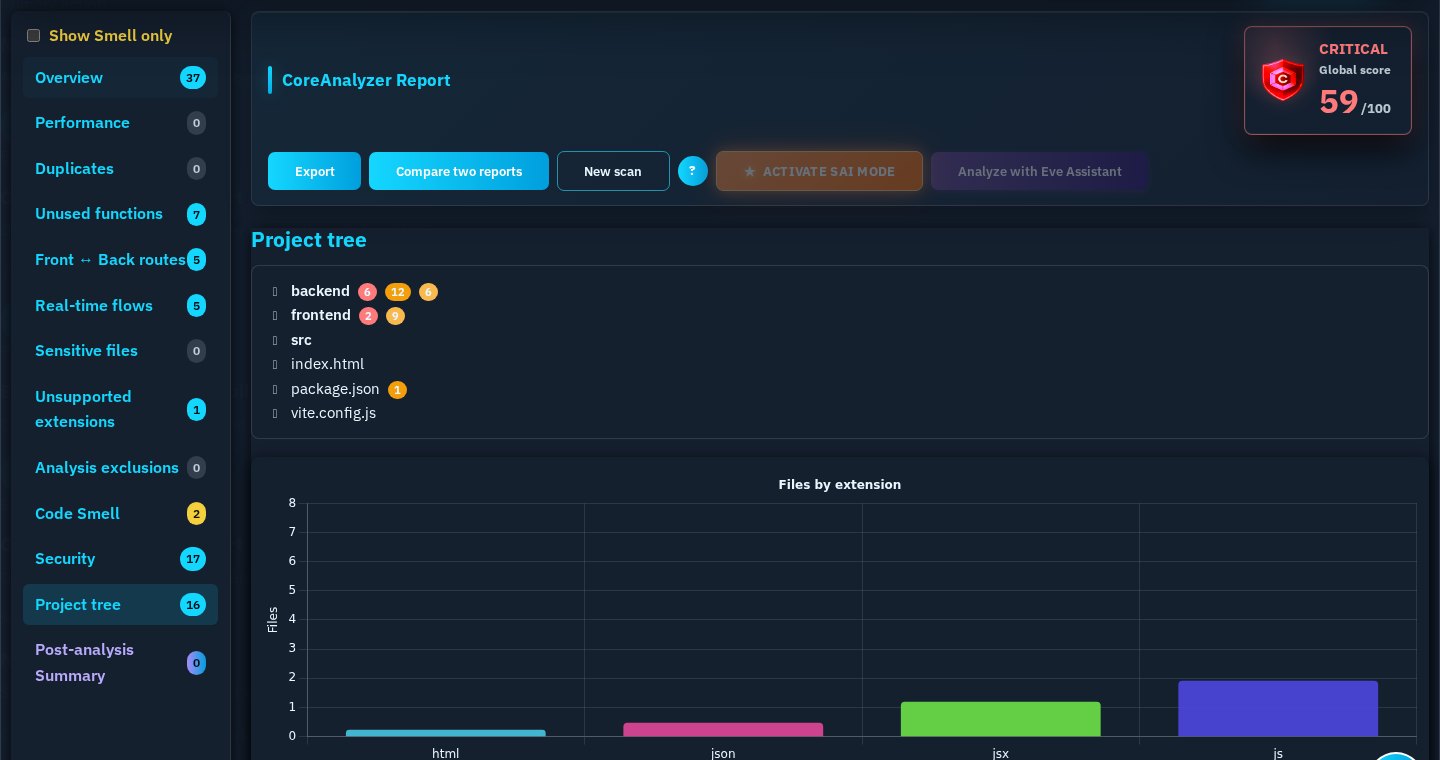
Follow the report back to the project.
The project structure connects the available findings to folders and files, with counts and severities when the report contains them.
04 / SAI
A structured reading before an AI conversation.
SAI is a reading layer for a report already produced by CoreAnalyzer. It helps surface available layers, relationships, root causes and investigation paths.
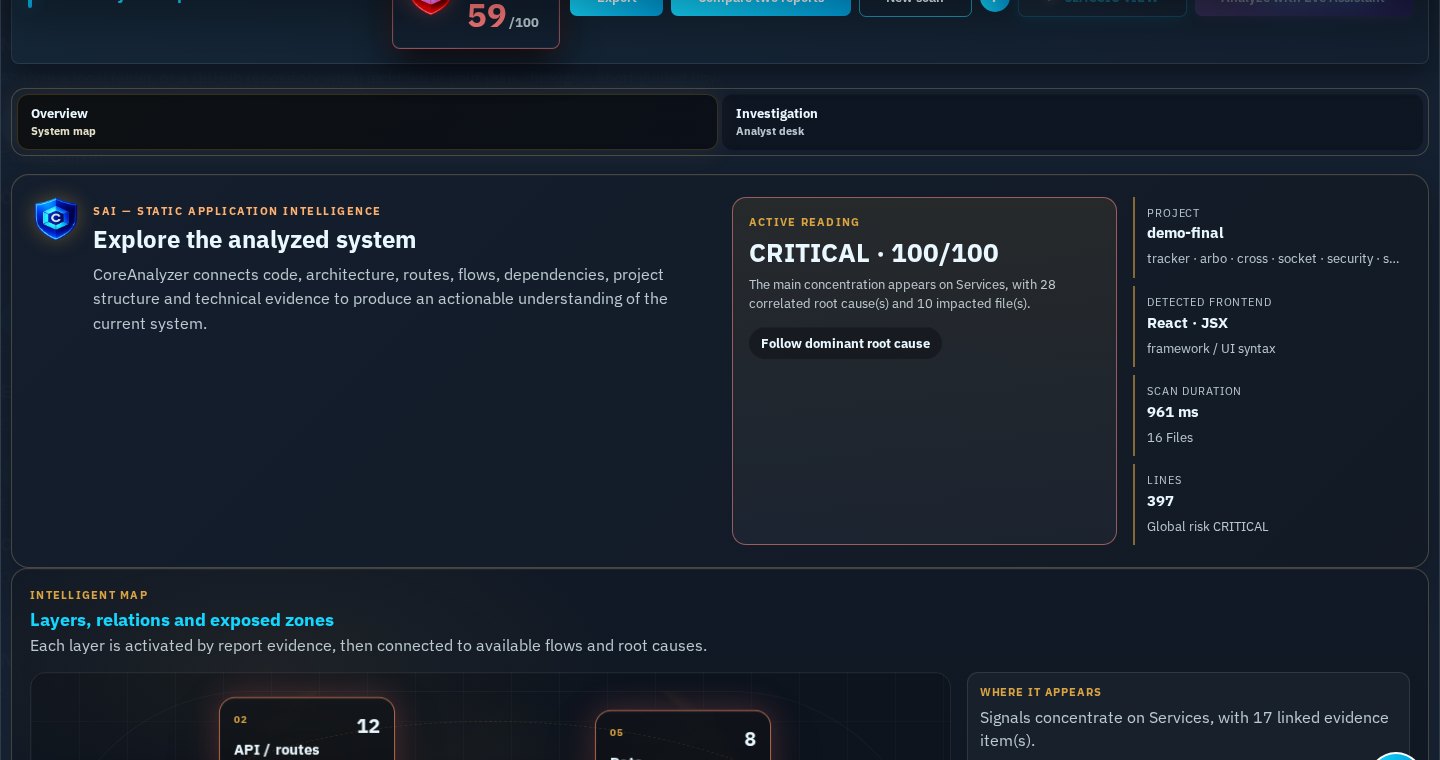
SAI does not replace the CoreAnalyzer analysis. It organizes the report evidence into a prioritization and investigation view.
AFTER ANALYSIS
The report remains useful after the scan.
CoreDevPro reports are structured objects: they can be kept, opened again in the Web, compared and converted for the usages enabled in your offer.
COREDEVPRO REPORT
Structured, re-openable and ready for technical use.
Reopen
Read and filter a report again in the Web interface.
Compare
Use two JSON reports to visualize the evolution between analyses.
Export from the Web
Generate PDF, HTML or CSV usage formats from an open report when enabled.
A DETERMINISTIC FOUNDATION
CoreAnalyzer produces the report. AI remains optional.
The main analysis is performed by the CoreAnalyzer engine. Optional AI features work from an already generated report and do not replace technical review.
Read the data-processing modelREADY TO EXPLORE
Start with a project. Keep a technical record.
Run an analysis, open an existing report or continue to the detailed usage guide.